Introduction:
Windows is a complex ecosystem of permissions, background services, and security layers. When an RSL Helper installation fails, it is rarely a single bug; rather, it is usually a conflict between the software’s requirement for Direct Memory Access and the operating system’s protective barriers.
How incomplete files prevent launch
If the installation process is interrupted, you end up with fragmented binaries. These are files that exist on the disk but lack the necessary checksum validation to execute. This leads to the frustrating “app started, but the window didn’t appear” glitch.
Why structured recovery is important
Simply clicking the installer repeatedly will not fix a broken environment. You need a structured recovery approach to flush the system’s temporary memory, fix the registry paths, and provide a clean slate for the software to anchor itself.
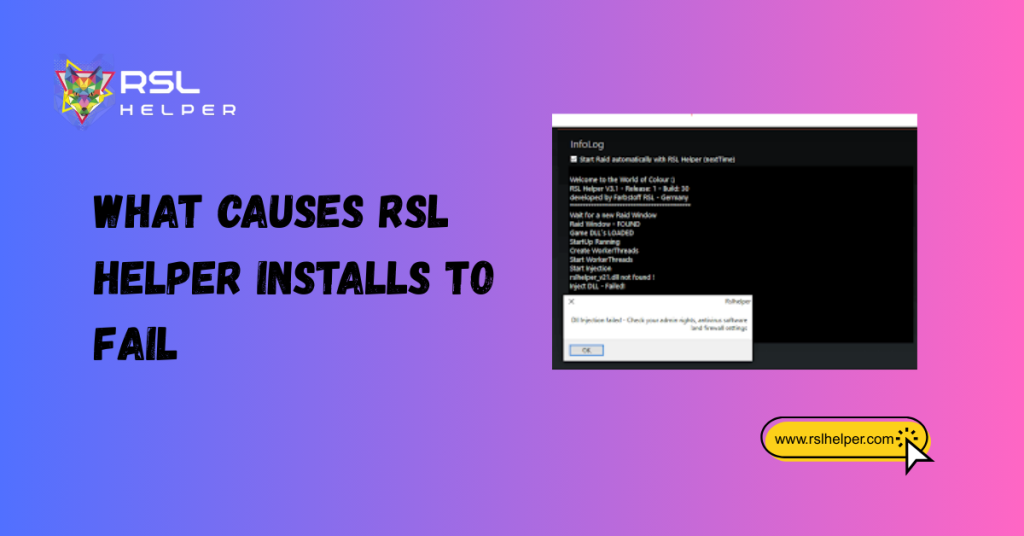
What Causes RSL Helper Installs to Fail
There are three primary pillars of RSL helper installation failure:
- Damaged setup files: If your download was interrupted or the server experienced a packet loss, the .exe may be corrupted. Even a single missing byte in the binary header can render the entire package useless.
- Missing runtime components: RSL Helper is built on specific frameworks. If your Windows installation lacks the latest Redistributables, the software won’t have the “language” it needs to speak to your hardware.
- System permission conflicts: Modern Windows versions (10 and 11) aggressively protect the C:\Program Files directory. If the installer lacks the proper execution tokens, it will be blocked from writing the configuration files.
Tracing the Failed Installation Point
Before you start RSL helper failed installation things, you must perform a technical audit to see exactly where the breakdown happened.
Reviewing install logs
Check the AppData/Local/Temp folder for text files starting with RSL_Setup. These logs contain error codes (such as 0x80070005) that indicate whether the problem was a “Permission Denied” or a “File Not Found” issue.
Identifying incomplete folders
Navigate to your chosen installation path. If you see an Assets folder but no Updater.exe, your extraction process failed midway. This usually points to a real-time antivirus scan that caught a file it didn’t recognize and quarantined it.
Noting version mismatch issues
Ensure you aren’t trying to install an outdated version. Using an old installer on a newly patched version of Raid: Shadow Legends creates a memory offset mismatch, preventing the helper from hooking into the game client.
Rebuilding the Installation Structure Safely
To fix the issue, we must perform a surgical cleanup.
Removing fragments without harming data
Delete the main installation folder, but leave your config folder intact if you are moving it. This ensures you don’t lose your gear-sell rules while you purge the corrupted binaries.
Replacing missing or damaged files
Instead of a “Repair,” choose a “Fresh Extract.” Manually downloading the latest standalone zip file and extracting it directly to a root folder (like C:\RSLHelper) is often safer than using an automated installer.
Ensuring a clean directory environment
Look for hidden files. Sometimes, Windows denotes a folder as “Read Only” after a failed install. Right-click your folder, select Properties, and uncheck Read-only to ensure the app can write its logs.
Repairing System Requirements and Dependencies
RSL Helper cannot run in a vacuum. It requires a specific set of Windows dependencies.
Installing missing .NET / VC++ runtime: Download and install the latest Microsoft Visual C++ Redistributable (x64) and the .NET Desktop Runtime. These are the engine parts of the helper. Without them, the app will crash instantly with a side-by-side configuration error.
Updating system libraries: Run Windows Update. Often, a pending “Security Intelligence Update” can block third-party tools from interacting with game memory. Keeping your kernel up to date provides the most stable environment for automation.
Validating Windows compatibility: Ensure you aren’t running the app in “Compatibility Mode” for Windows 7 or 8 unless specifically instructed to do so. RSL Helper is designed for the native Windows 10/11 architecture. Forcing old compatibility modes can actually cause the “DLL Injection” to fail.
Fixing Access & Permission Barriers
Running installer as admin
This is mandatory. Right-click the installer and select “Run as Administrator.” This grants the process the “Write Access” required to modify the system registry and establish communication with the game client.
Security software exclusions
Add the RSL Helper folder to your antivirus exclusion list. This prevents the “Heuristic Scanner” from deleting the RSLHelper.dll file, which is frequently misidentified as a game hack because of how it reads game memory.
Folder write/modify permission checks
If you installed the app on an external drive, ensure the drive is formatted as NTFS, not exFAT or FAT32. RSL Helper requires the advanced “File Permissions” provided by NTFS to manage its local database and log files correctly.
Re-Running Setup the Right Way
- Choosing the correct package version: Always download the latest build from the official Discord or GitHub. Never trust third-party mirrors, as they may contain binary mismatches.
- Confirming antivirus-safe installer source: Make sure your browser didn’t soft-block the download. Check your downloads folder; if the file has an unconfirmed extension, rename it to .exe or re-download with protections temporarily paused.
- Verifying complete extraction before launch: Before you double-click the app, check the file size. A healthy RSL Helper executable must match the official build size. If it’s only a few KBs, the extraction was blocked.
Avoiding Repeat Install Failures
Stable storage location
Avoid installing the Helper on your desktop or in the Downloads folder. Use a dedicated directory like C:\RSL_Automation. This prevents Windows OneDrive from trying to sync the temporary log files, which often causes “File Lock” errors.
Version control discipline
Before every game update, look for a Helper update. Running an old Helper on a new game build is the fastest way to corrupt your local installation data.
Backup and restore strategy
Once you have a working setup, back up the entire folder to a .zip file. If the app fails in the future, you can simply delete the folder and extract your stable backup to get back into the game in seconds.
Frequently Asked Questions
Why does RSL Helper installation fail on Windows?
Failures are usually caused by antivirus interference, missing VC++ Redistributables, or insufficient administrative permissions. When Windows blocks the app from writing to the disk or reading game memory, the installation stalls.
How do I check which step the installation failed at?
Review the install logs located in your system’s temp folder. Look for “Error” or “Fail” tags. Additionally, check if the Updater.exe exists in your folder; if not, the extraction phase was the failure point.
Can antivirus software break the installation?
Yes. Antivirus programs often flag RSL Helper’s memory injection behavior as a threat. This leads to the silent deletion of core files, making the installation appear complete when it is actually broken.
Do I need to delete leftover folders before reinstalling?
Yes. To ensure a zero-trace reinstall, you should delete the old folder and clear the AppData/Local/RSLHelper directory. This prevents old, corrupted configuration files from breaking the new installation.
What runtime components are required for RSL Helper?
The primary requirements are the Microsoft .NET Desktop Runtime and the Visual C++ 2015-2022 Redistributable (x64). Without these, the software cannot execute its core logic.
Why won’t the installer run even as an admin?
This often happens if the file is blocked by Windows SmartScreen. Right-click the installer, go to Properties, and check the “Unblock” box at the bottom before running it again.
How do I confirm my installer isn’t corrupted?
Compare the file size and MD5 checksum (if provided) with the official source. If your file size is significantly smaller than the official download, your browser likely cut the connection mid-download.
Is it safe to reinstall without losing my settings?
Yes, as long as you back up your Config folder. The settings are stored in .xml and .json files; simply copy them out before deleting the app and paste them back in after the new install is finished.
Conclusion
Fixing a failed RSL Helper installation requires technical discipline. By following the structured recovery steps, you tackle the fundamental issues of permissions, dependencies, and file integrity rather than just the symptoms.
A stable installation is the backbone of your Raid: Shadow Legends automation. By taking the time to ensure your environment is clean and authorized, you avoid the error loops that plague unoptimized setups. Now that your foundation is solid, you can return to Teleria with the confidence that your tools are as reliable as your champions.
Latest Post:
- RSL Helper Stuck on Loading Screen: Fix with Cache Reset & Config Check
- RSL Helper Installation Failed—Common Causes Explained
- RSL Helper Apps Stuck During Installation—Causes and Solutions
- RSL Helper Shows Success but App Isn’t Visible – What’s Happening?
- RSL Helper Corrupted App Installations—How to Resolve